
Q-SYS Complete Enterprise AV Platform Guide: Architecture, Control, and Scale
Q-SYS is a software-based audio, video, and control platform built around Q-SYS OS, Core processing, network-connected peripherals, design software, management services, and an integration ecosystem. It can serve one collaboration room, a connected building, a campus, or a larger enterprise, but scalability does not come from adding products without a system model. Designers must define processing, I/O, audio transport, video distribution, control, user interfaces, conferencing, network services, redundancy, monitoring, security, and operational ownership. This guide follows official Q-SYS platform pages, product help, processing documentation, networking guidance, and certified collaboration application material. Exact capacities and licences differ by Core, software version, endpoint, and design, so final engineering must use current Q-SYS specifications and training resources.
Understand Q-SYS as a platform rather than a collection of boxes
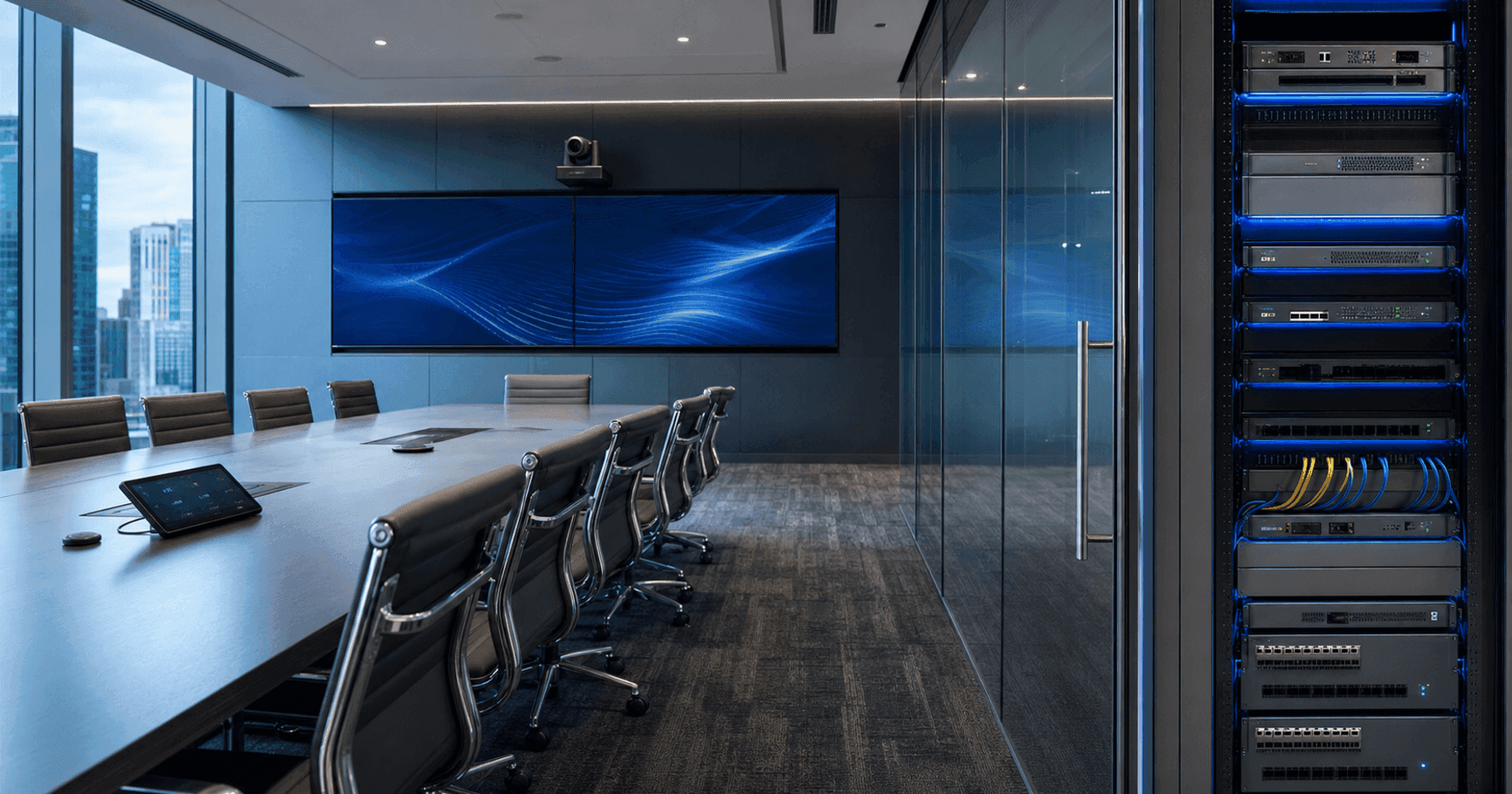
Q-SYS describes a full-stack AV platform with multimodal I/O, an intelligent platform operating system, and cloud services. Q-SYS OS provides integrated audio processing, video orchestration, and control. Native hardware and software operate within that architecture, while Q-SYS Open tools and industry-standard protocols support third-party integration.
The Core is the central processing element in a conventional Q-SYS design. It runs audio DSP and control, manages the design, communicates with peripherals, and participates in video and management workflows according to the selected products and licences. A system may use one Core, redundant Cores, multiple independent systems, or enterprise processing architectures.
Start the design with outcomes and boundaries. List rooms, sources, destinations, microphones, loudspeakers, cameras, displays, codecs, control points, divisible-space behavior, paging, background music, monitoring, and third-party systems. Then define which functions are local, shared, centralized, or required during a network or Core failure.
Build a logical architecture before selecting hardware
Separate the design into media, control, management, and user-experience planes. The media plane carries real-time audio and video. The control plane links buttons, touch interfaces, sensors, displays, lighting, shades, and other endpoints. The management plane covers inventory, health, logging, firmware, access, and remote support. The user plane defines what people see and can safely operate.
Map every source to every required destination and identify latency, synchronization, resolution, channel, and availability requirements. For audio, include acoustic echo cancellation, reinforcement, program sound, paging, and recording. For video, include camera feeds, presentation, confidence displays, overflow, recording, and AV bridging. For control, define state, feedback, priority, and recovery.
Document failure domains. A centrally processed campus may simplify management but can increase the effect of a network or processor event unless redundancy and segmentation are designed. A room-by-room architecture can contain faults but increases the number of systems. Choose intentionally and validate against current Q-SYS scaling and redundancy options.
Select Core processors by processing, I/O, and scale
Q-SYS offers processors such as Core Nano, Core 8 Flex, Core 110f, Core 24f, Core 510i, Server Core models, Core 5200, and vCore options, with portfolio changes over time. They share Q-SYS OS but differ in network audio capacity, local or card-based I/O, processing scale, physical format, redundancy options, and supported licences.
Core Nano suits network-centric systems without onboard analog audio. Core 8 Flex and Core 24f add flexible local I/O for rooms or distributed endpoints. Core 110f and Core 510i serve designs needing their documented onboard or card-based connectivity. Server Core and enterprise models address higher-scale processing according to current specifications. NV-32-H Core Capable can combine Core functions with local video endpoint roles in supported designs.
Build a capacity schedule from the Q-SYS Designer design and official specifications. Count network audio channels and streams, AEC channels, USB or AV bridging, media players, VoIP, scripts, control load, peripherals, video endpoints, and expansion. Preserve engineering headroom and account for licences rather than sizing only to the initial schematic.
Design DSP and network audio as one signal system
Q-SYS audio processing can provide routing, mixing, equalization, dynamics, delays, acoustic echo cancellation, automixing, room combining, paging, and other functions within the design. The availability and capacity of processing blocks depend on Core and software. Build a labelled signal flow that another engineer can read and service.
Q-LAN transports real-time audio using standard network infrastructure and Q-SYS also documents support for selected standards and licensed transports such as AES67, Dante, and others depending on product and software. Channels and streams are separate capacity concepts. A design can reach stream limits before channel limits, so both must be calculated.
Coordinate DSP with acoustic design. Microphone type and placement, loudspeaker coverage, gain structure, background noise, reverberation, and room coupling determine the raw signal. DSP improves and manages a sound system; it cannot make poor placement or an untreated reflective room behave like a properly engineered space.
Engineer the network with the IT team
Q-SYS is designed for standard IP networking, including routed enterprise architectures when configured to current requirements. That does not mean any unmanaged network is suitable. Document switch models, bandwidth, uplinks, VLANs, multicast, QoS, PTP or timing requirements, addressing, DHCP or static policy, DNS, NTP, access control, monitoring, and redundancy.
Calculate bandwidth for every audio and video flow plus management overhead. AV-over-IP video can materially change uplink and switch requirements. Confirm supported switch configuration from Q-SYS documentation or Q-SYS NS Series guidance. Test convergence, multicast behavior, link failure, and endpoint recovery under realistic load.
Create a responsibility matrix between AV and IT. Define who owns switch configuration, credentials, certificates, firewall changes, firmware, monitoring, packet captures, and incident response. Store current diagrams and configurations in controlled documentation rather than leaving them only on an integrator laptop.
Plan cameras and AV over IP around real workflows
Q-SYS VisionSuite includes network PTZ cameras and AI-assisted experiences within supported collaboration designs. Camera selection depends on room depth, field of view, optical reach, mounting, lighting, participant layout, and platform certification. Q-SYS NC Series options in the Barq catalog illustrate different camera forms, but model choice must follow current official specifications.
Q-SYS NV Series endpoints support software-defined video roles across supported products. NV-32-H can serve encoder or decoder functions and selected Core-capable roles; newer NV endpoints address specific HDMI, USB, or distribution needs. Define sources, destinations, resolutions, HDCP, USB, audio, switching, multiview, and latency before selecting endpoint counts.
Avoid treating AV over IP as an HDMI cable replacement without network and control design. Every route needs a user or automation action, feedback, fallback behavior, and support procedure. Test content protection, sleep and wake, source changes, display power, link interruption, and return to the correct route.
Design touch panels, control, and automation for safe operation
Q-SYS control operates in the same platform as audio, video, and monitoring. Q-SYS Designer supports user control interfaces, logic, components, plugins, and scripting according to licences and design. TSC Series touch panels provide native network user interfaces in wall, tabletop, or other supported mounting configurations.
Start with user tasks: start a meeting, select source, share content, adjust approved volume, operate divisible spaces, call support, or shut down. Keep the interface consistent across room types and expose only safe actions. Provide clear feedback for device state and handle delays, offline equipment, and conflicting commands.
Automation can use schedules, occupancy, sensors, platform events, and device status, but every automatic action needs an override and recovery model. Define priorities for fire or life-safety interfaces, paging, room combining, executive support, and after-hours shutdown. Test failure, not only the ideal sequence.
Integrate Microsoft Teams, Zoom, and third-party systems correctly
Q-SYS publishes certified or validated application designs for Microsoft Teams Rooms and Zoom Rooms using supported Core processors, audio-video peripherals, cameras, and USB or network bridging. Certification applies to documented combinations and software versions. Use the current application guide and platform certification records for the exact room.
The collaboration codec or room compute remains responsible for its meeting platform, while Q-SYS can provide audio DSP, cameras, control, and bridging within the certified design. Map USB and network paths, echo-reference signals, mute synchronization, camera selection, and platform control carefully. Test platform updates against the whole room system.
Third-party integration can use Q-SYS plugins, standard protocols, APIs, GPIO, serial, network control, or Lua scripting where supported. Prefer maintained plugins and documented interfaces. Record plugin versions, credentials, commands, error behavior, and ownership. An integration is not complete until state feedback and failure handling work.
Choose an enterprise topology and scaling strategy
A single room may use a small Core with native peripherals. A floor may share paging, music, monitoring, or control while keeping collaboration processing local. A campus may use multiple systems with centralized management, redundant processing for critical zones, and standardized templates. The topology should follow operational and failure requirements.
Create reusable design standards for small rooms, divisible spaces, boardrooms, training rooms, auditoria, public areas, and specialist facilities. Reuse naming, network policy, control patterns, monitoring, and acceptance tests, but preserve site-specific acoustic and physical engineering. A copied schematic is not a room survey.
Use Q-SYS scaling licences, larger Core models, vCore, or Server Core options only where current official documentation supports the required capacity and availability. Model growth for channels, streams, endpoints, rooms, recording, and integrations. Keep headroom and define when a site must split into another Core or failure domain.
Apply disciplined design, commissioning, and security practices
Use clear component names, signal labels, comments, pages, and version control for the Q-SYS design. Maintain separate development, staging, and approved production files. Record Q-SYS Designer version, Core firmware, licences, plugins, scripts, device firmware, network configuration, and credentials ownership.
Commission audio with calibrated measurement and listening, video with every route and display state, cameras from all seats, and control with normal and failure sequences. Test conferencing far-end audio, mute behavior, content, restart, Core or link loss where the design supports recovery, and management alarms. Obtain witnessed acceptance.
Apply current Q-SYS security guidance: restrict administration, segment networks appropriately, manage credentials and certificates, disable unused services, control remote access, and maintain supported software. Coordinate change control with IT and cybersecurity rather than treating AV as an isolated appliance network.
Operate and monitor Q-SYS over its full lifecycle
Q-SYS Reflect and Core management tools can support remote monitoring and management for approved deployments. Define actionable alarms, owners, escalation, maintenance windows, and evidence retention. Monitor third-party devices only to the extent that their integration provides reliable state.
Pilot Q-SYS OS, firmware, plugin, script, and conferencing-platform updates in a representative lab or low-risk system. Check design conversion, licences, peripherals, audio, video, control, integrations, and management before production rollout. Preserve rollback materials and backups according to supported procedures.
Maintain spares and lifecycle plans for Cores, network switches, power supplies, I/O, cameras, touch panels, amplifiers, endpoints, and licences. Document replacement and re-provisioning. Enterprise scale is achieved when systems can be understood, monitored, changed, and restored consistently—not merely when many devices share a network.
Frequently asked questions
What is Q-SYS?
Q-SYS is a software-based audio, video, and control platform built around Q-SYS OS, Core processing, network-connected devices, design software, management services, and third-party integration tools.
Does every Q-SYS system need a Core?
A conventional Q-SYS design requires Core processing, which may be a hardware Core, a supported Core-capable endpoint, vCore, or another current platform option. Select from official requirements and capacity.
How do I choose a Q-SYS Core processor?
Calculate processing, network audio channels and streams, local I/O, AEC, bridging, video, control, peripherals, licences, redundancy, and growth, then verify the current Core specifications in Q-SYS Designer.
Can Q-SYS integrate with Microsoft Teams Rooms?
Yes. Q-SYS publishes certified or validated Teams Rooms application designs. Use the exact documented Core, peripherals, bridging, software, licence, and Microsoft-certified configuration.
Can Q-SYS integrate with Zoom Rooms?
Yes. Q-SYS publishes Zoom Rooms audio and video application guidance. Verify the current certified combination and test it as a complete room system.
Is Q-SYS an AV-over-IP platform?
Q-SYS includes network audio and supported NV Series video distribution, but a complete design also covers processing, control, timing, switching, bandwidth, endpoints, user workflows, and management.
How does Q-SYS control third-party devices?
Depending on the device and design, Q-SYS can use maintained plugins, network protocols, APIs, serial, GPIO, or supported scripting. Reliable state feedback and failure handling are essential.
Official sources
Related products
Related solutions
Meeting Room SolutionsRelated articles
Microsoft Teams Rooms Planning Guide: From Room Survey to DeploymentPlanning a project?
Share your room or display requirements and the Barq team will return with a clear solution and quotation.
Request a quote